Workflows
Open a file
Open a file reads a project file from your computer, a .json written by the atelier or by any program that writes its contract, and opens it as a new project in a tab of its own. The file is built as it is: what the build refuses is reported in a toast, never repaired without your knowledge.
What it is
Open a file takes a project file from your computer and makes it a project of the atelier. It opens from:
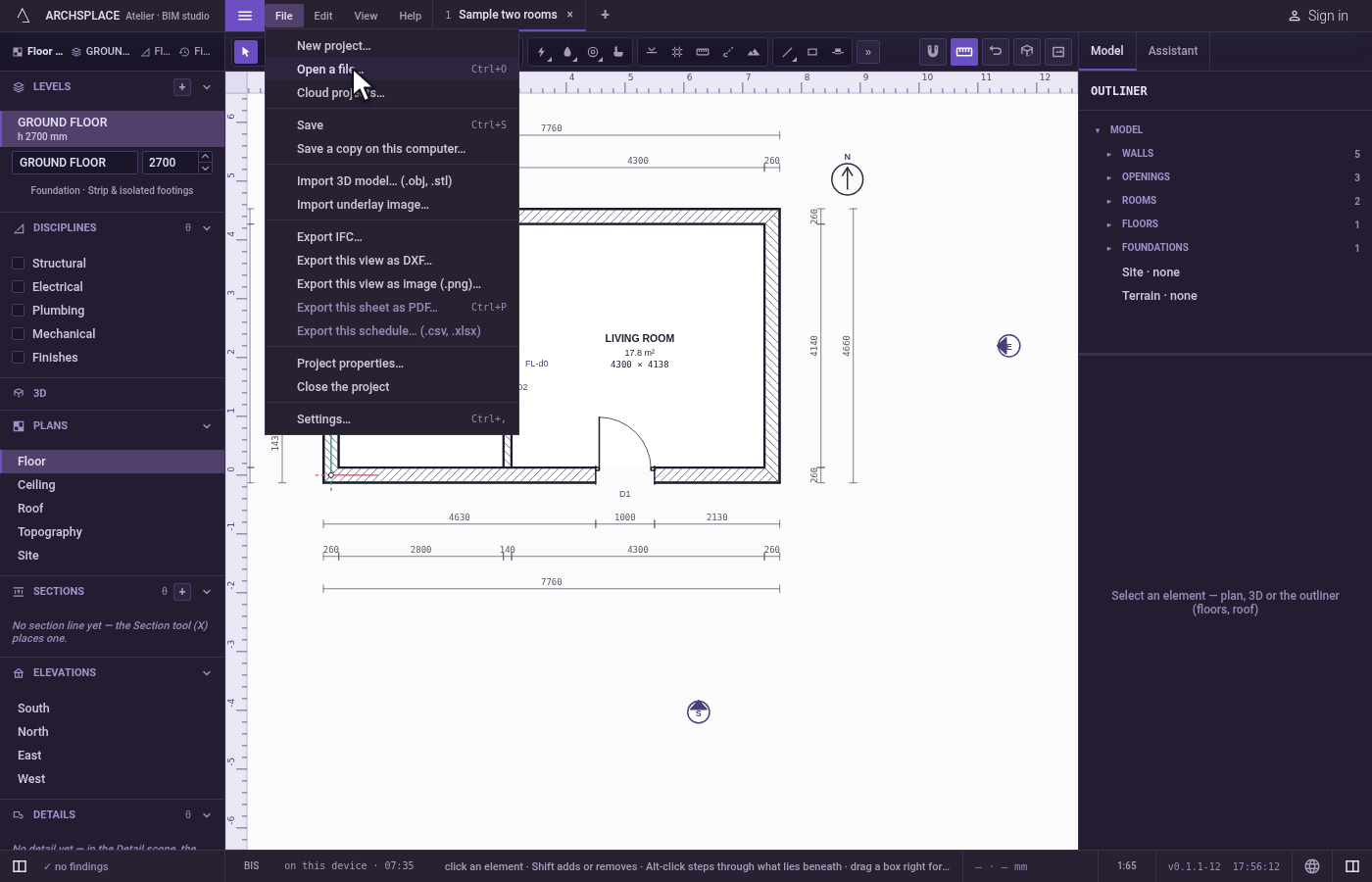
- File, Open a file…, or
Ctrl+O(⌘Oon a Mac); - Open a file… on the Start screen, the screen the atelier shows when no project is open;
- a file dropped anywhere in the middle of the window. A project file (.json) opens; a model (.obj or .stl) is imported into the project in hand instead; any other file is refused in a toast.
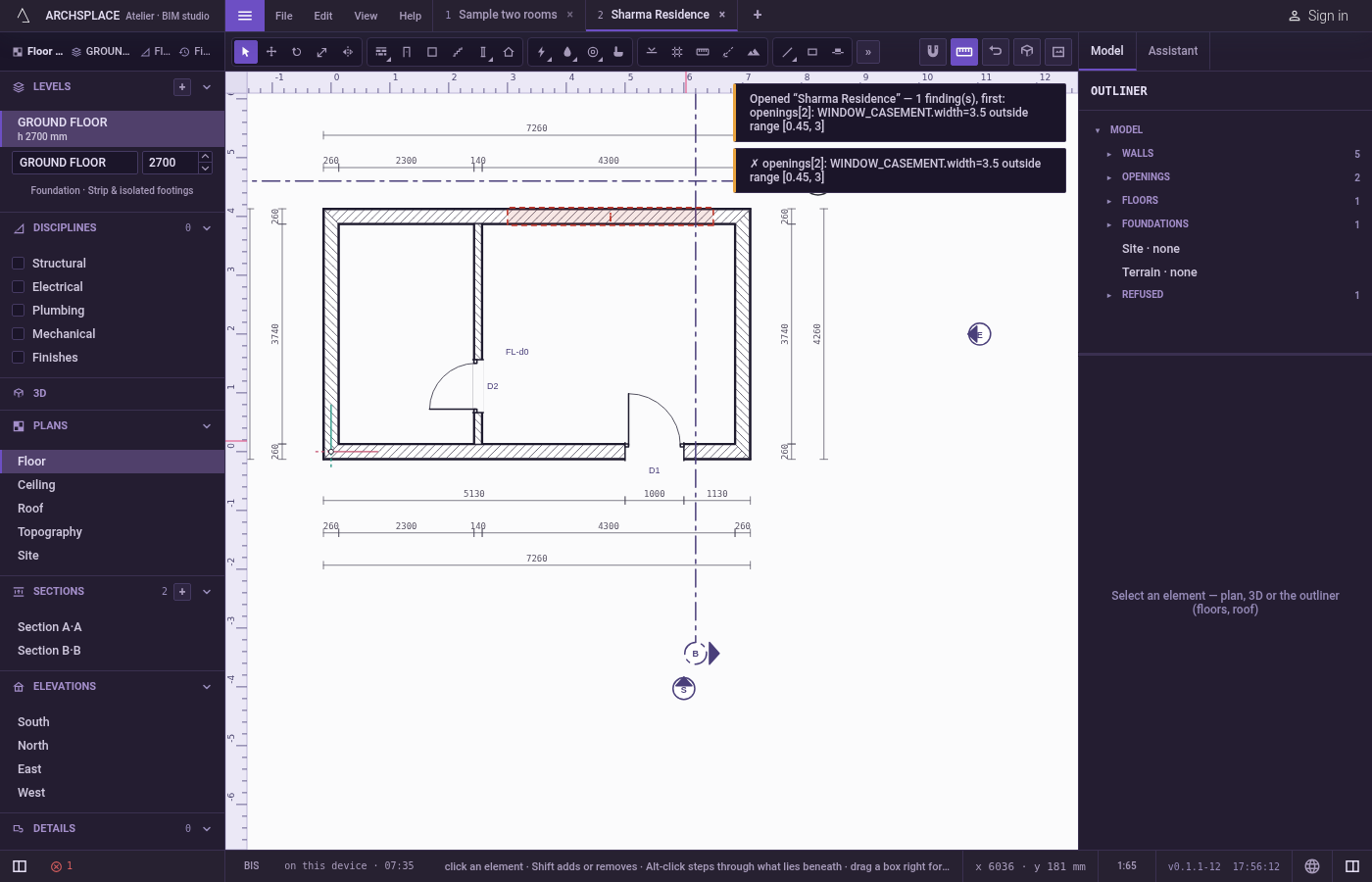
The atelier reads the file, builds it and opens it in a new tab named after the name of the project itself, or after the name of the file when the project has none. It lands on the floor plan of the lowest level that carries walls, and a toast says it was opened. When the build finds something it refuses, the toast says how many findings there are, and names the first one with its element. A file written in an older format of the project is read in the format of today as it opens.
The project joins the library of the atelier, the list the Start screen shows, and its undo history starts empty. The file on your computer is only read, never written.
Before a heavy project is built, a dialog asks first: Open and the name of the project, with its size, its number of component instances and of elements. It is heavy beyond 2 MB, 2000 component instances or 8000 elements. Open anyway builds it; Keep it closed leaves it unopened.
When to use it
- To open a project that someone sent you as a file.
- To open a copy you saved on this computer, from this atelier or another one.
- To bring a project from the atelier in the browser into the installed one, or the other way round.
The steps
Open the file chooser. Open File and click Open a file…. The file window of your computer opens on project files.
Choose the file. Choose sharma-residence.json and confirm. A new tab, Sharma Residence, opens on the floor plan, and a toast says Opened “Sharma Residence”.
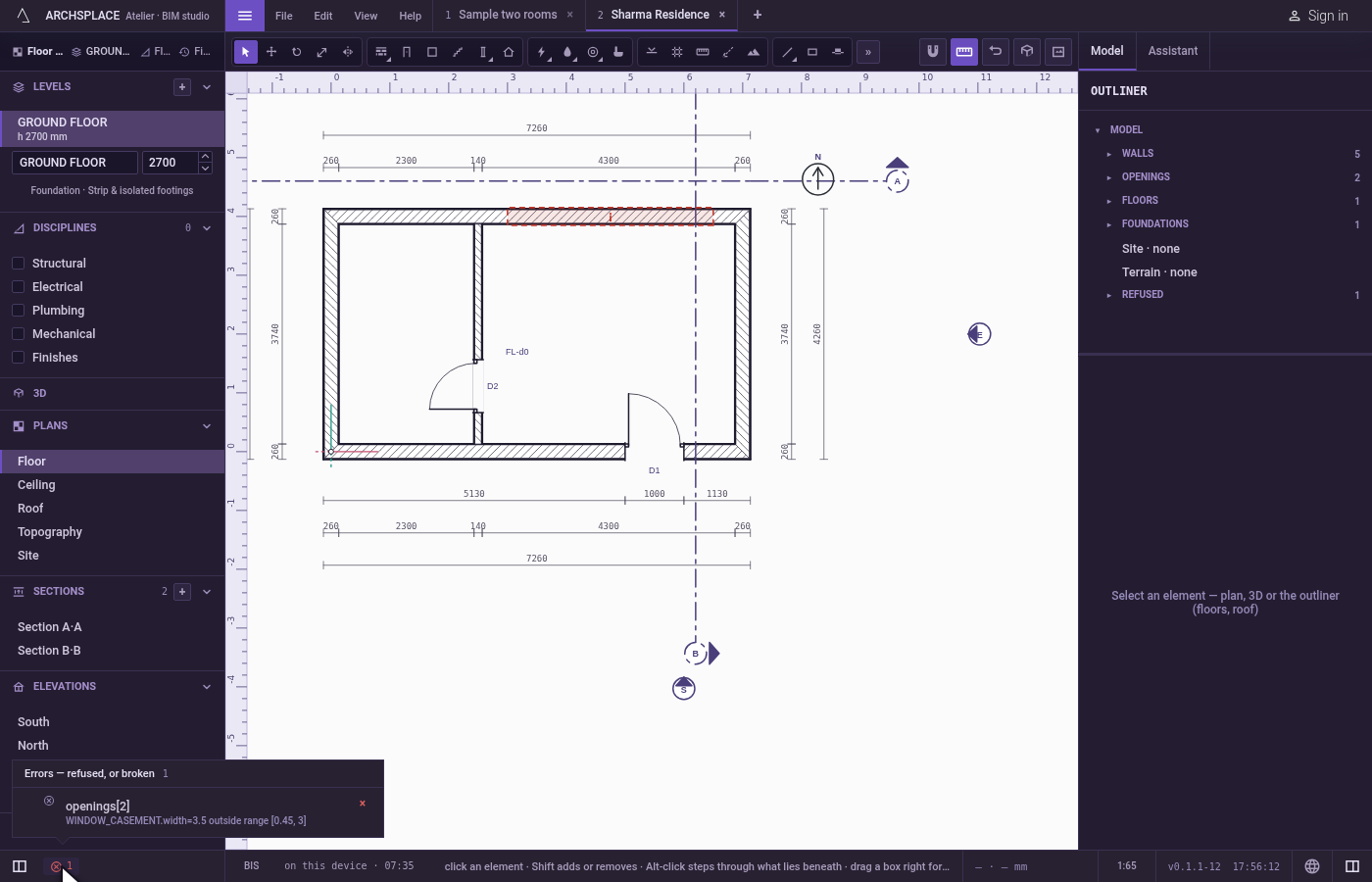
Read the findings. When the toast names findings, the findings count in the status bar tells you how many errors and advisories the model holds; a click on it lists them, each showing its element.
What it refuses
- A file that is not JSON. A toast says that it cannot open the file, and gives the reason. Nothing opens.
- JSON that is not a project. A list or a lone value is refused with not a project file.
- A file of another kind dropped on the window. It is neither a project (.json) nor a model (.obj, .stl), and the toast says so.
- A model dropped with no project open. It is imported only into a project in hand: open a project first.
What it writes to the contract
Nothing in the file you opened. The project it becomes is a copy in the library of the atelier, holding exactly what the file holds, read in the format of today. Elements that the build refuses stay in it as they were written, shown as findings, so that you can repair them.
Common questions
Which files can the atelier open?
A project file, the .json that the atelier writes with Save a copy on this computer. An .obj or .stl file is not a project: it is imported as a 3D model into the project in hand.
Can I drag a file onto the atelier?
Yes. Drop a project .json anywhere in the middle of the window to open it, or drop an .obj or .stl to import it into the project in hand.
Why does the atelier ask before opening my project?
Because the project is heavy: more than 2 MB, more than 2000 component instances or more than 8000 elements. Building it can take a while and freeze the browser. Open anyway, or Keep it closed.
Does opening a file change it?
No. The file on your computer is only read. The project it becomes lives in the library of the atelier, and your changes go there until you save.