Plan
Slab hole
A slab hole is an opening cut by hand in the floor slab of a level, square or round, for a shaft, a chute or a cut-out that a staircase does not make by itself. It is started from the panel of the slab and drawn on the plan in two clicks.
What it is
A slab hole is an opening you cut in the floor slab of a level. It is square, drawn from two opposite corners, or round, drawn from its centre and its radius. The opening a staircase needs in the floor above is cut by itself; a slab hole is for everything else: a shaft, a chute, a double height.
A hole is a hole, not a passage. The only thing that passes through it is a riser or a soil pipe that you stand in it. No circuit, pipe or duct laid by the studio ever runs through a hole, and a light or a grille hanging below one is flagged, since there is no ceiling there to hold it.
When to use it
- To open the floor for a service shaft.
- To make a double height space over a living room.
- To leave a round opening for a chute or a flue.
The steps
Select the slab. Select the floor slab of the level, on the plan, in 3D or in the outliner. Its panel opens on the right.
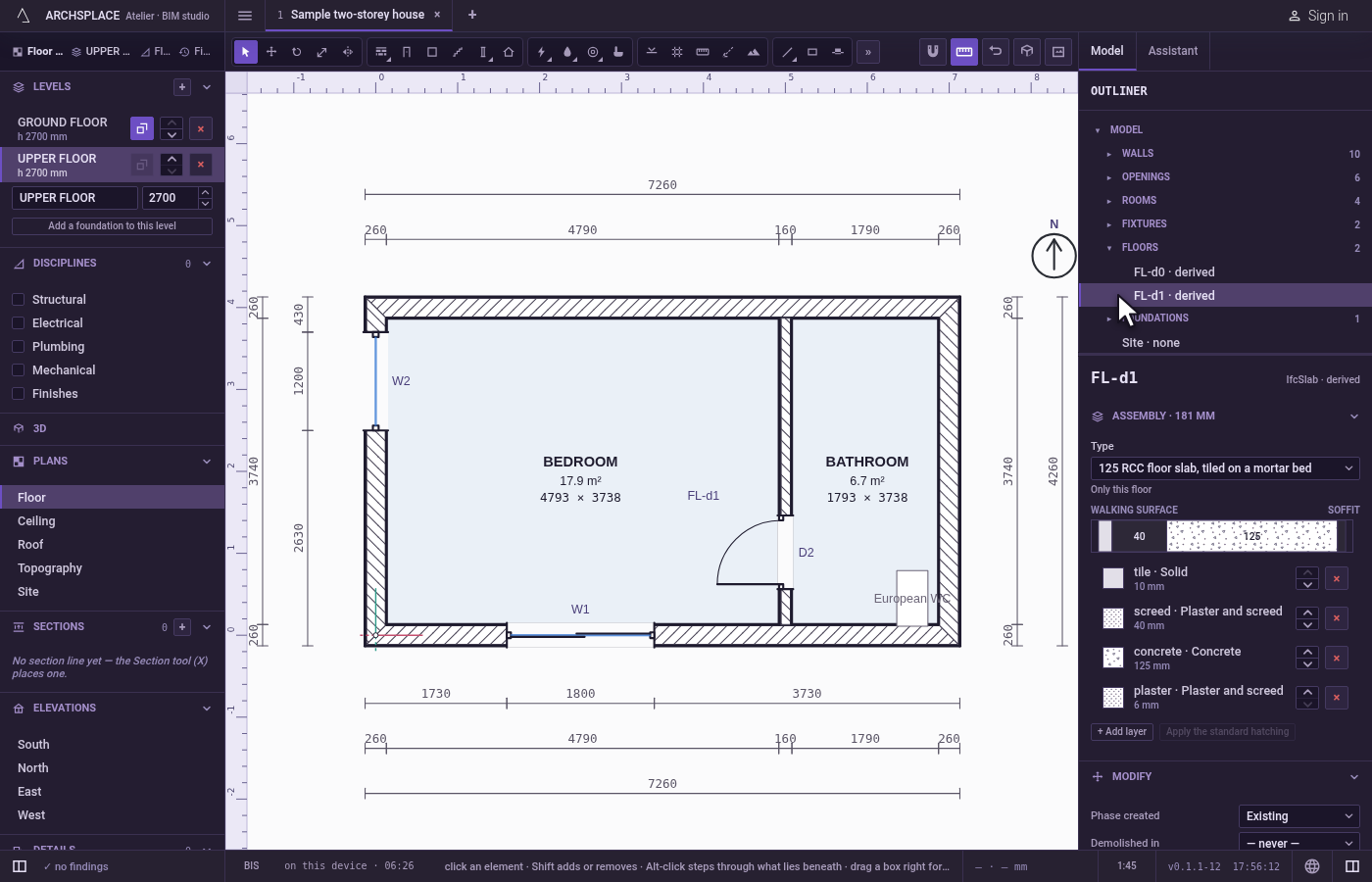
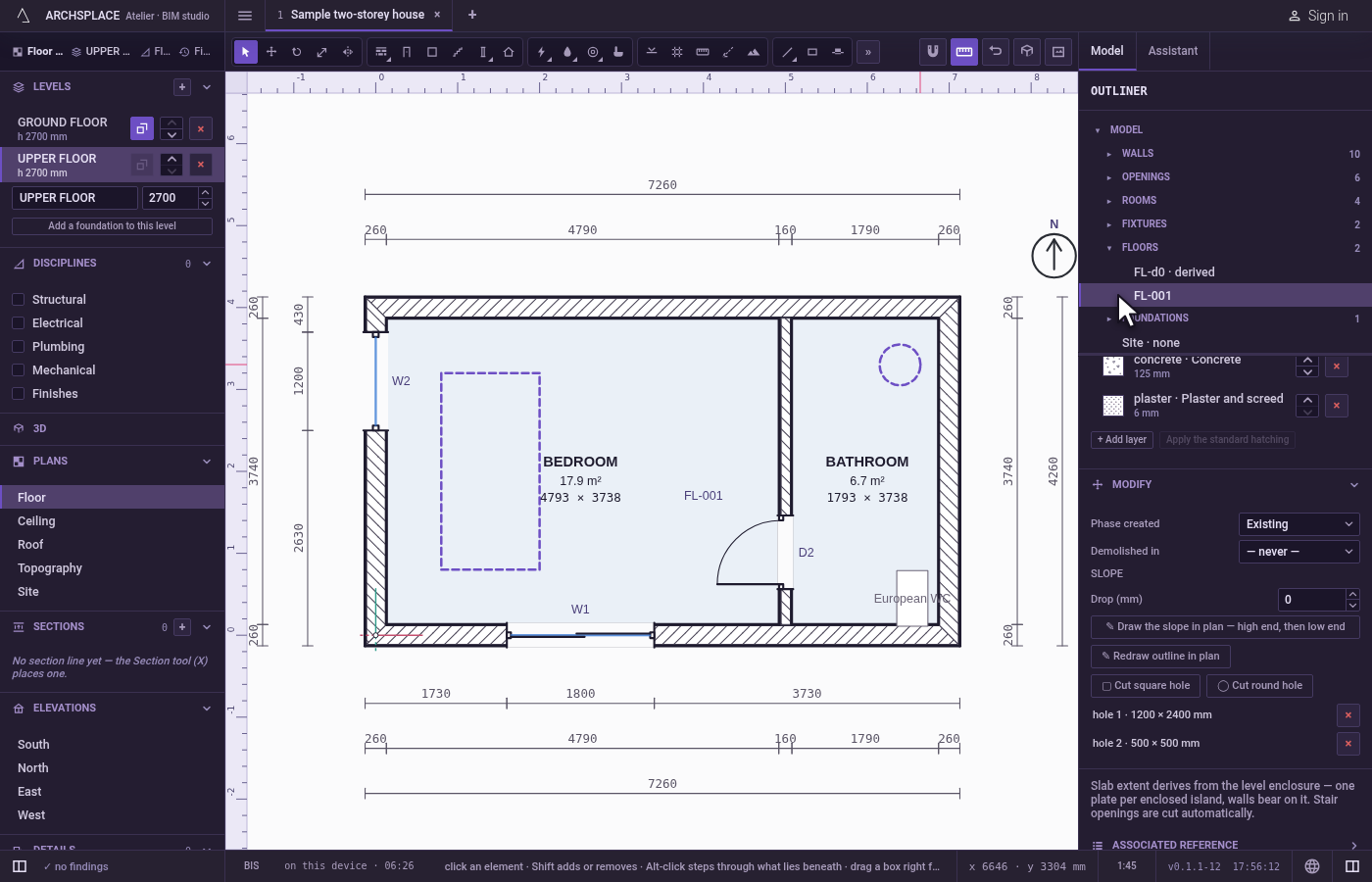
Choose the shape. In the panel of the slab, click Cut square hole or Cut round hole. The plan of that level opens with Select active.
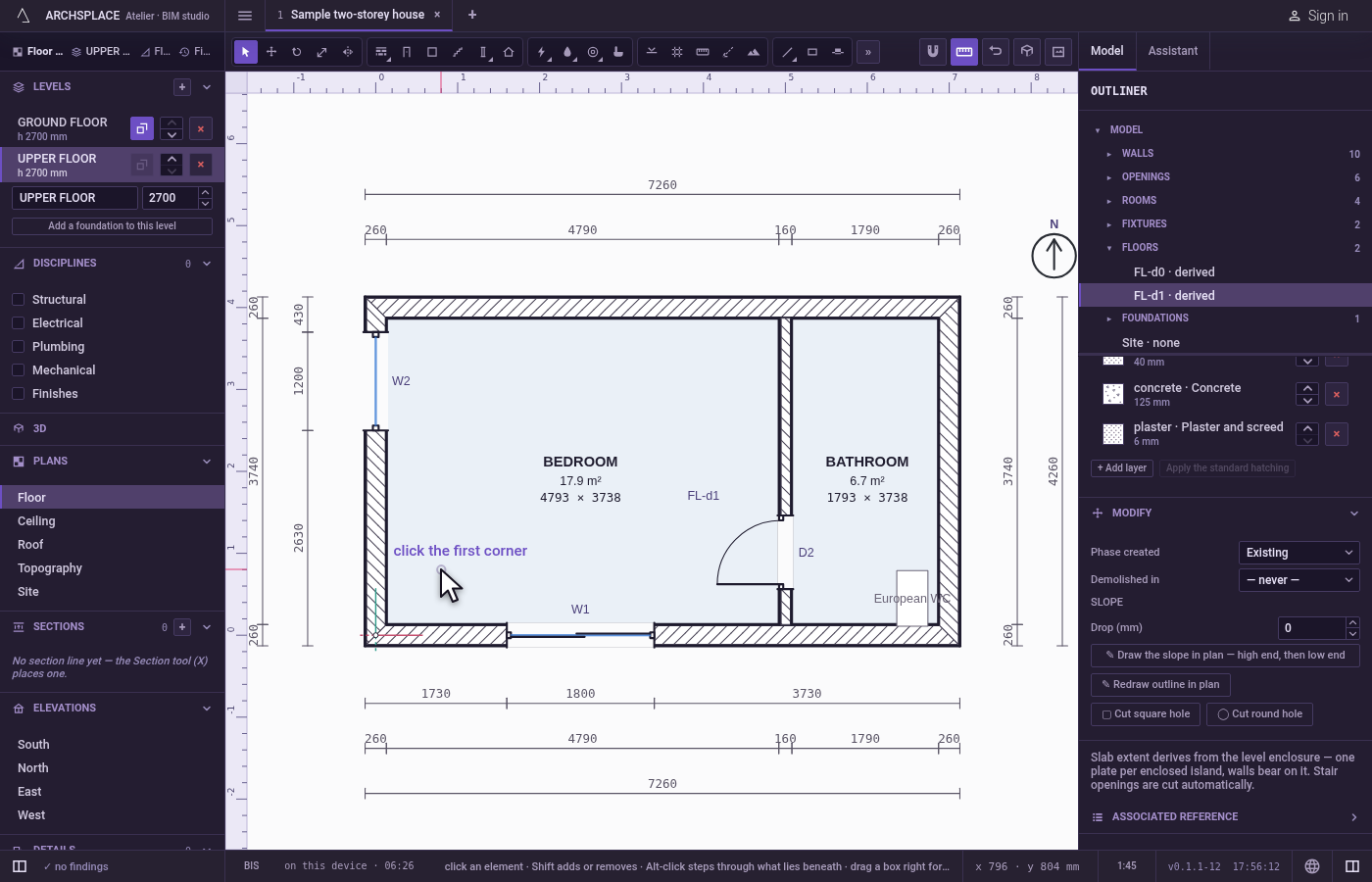
Square: click two opposite corners. The label beside the cursor asks for the first corner. A rectangle then follows the cursor, with its width and height written beside it; click the opposite corner to cut it.
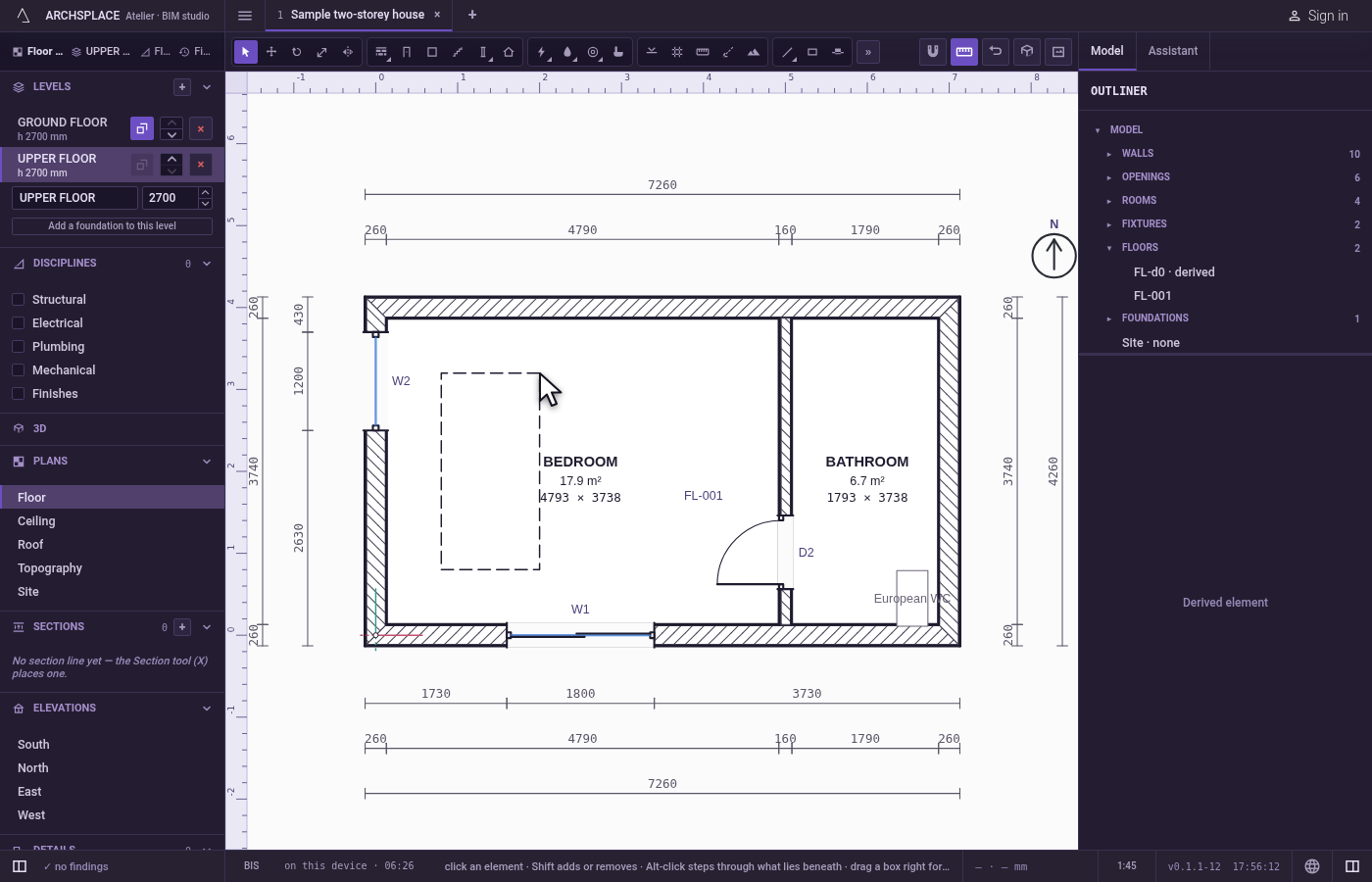
Or, round: click the centre, then the edge. The label beside the cursor asks for the centre. A circle then follows the cursor, with its radius written beside it; click to cut it.
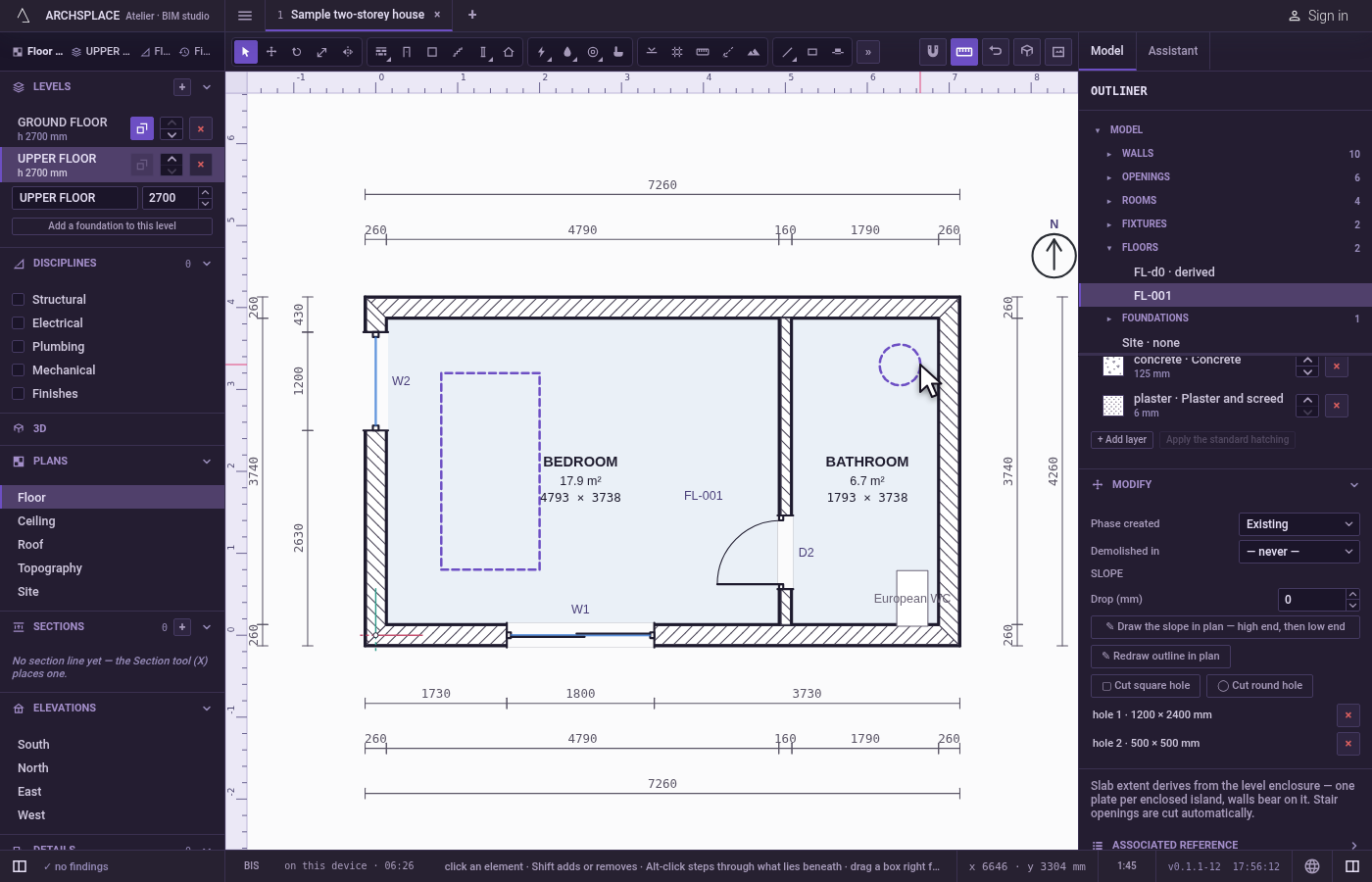
Check it in the panel. Every hole is listed in the panel of the slab with its size, and Remove hole takes one away.
What it refuses
- A hole smaller than 5 cm. A hole narrower than 5 cm in either direction, or with a radius under 5 cm, is refused with a message asking you to drag at least 5 cm across.
- Esc midway. Esc drops the hole in progress; nothing is cut.
What it writes to the contract
One step, which one undo reverses: the floor of the level gets one more opening, a list of corner points to the nearest millimetre. A round hole is written as a polygon of 24 sides. If the slab of the level had no entry of its own yet, it gets one, keeping the slab type it had.
Concepts
Common questions
Do I need to cut a hole for my staircase?
No. The opening that a staircase needs in the floor above is cut by itself. A slab hole is for what a staircase does not make, such as a shaft or a double height.
Can pipes or ducts run through a slab hole?
Only a riser or a soil pipe that you stand in it passes through. The studio never lays a generated run through a hole, and a light or a grille hanging below one is flagged.