SketchMIIin the studio
Mirror
Mirror flips the lines and corners you have selected in the sketch editor across a line you set with two clicks. By default the flipped drawing replaces the original; keep Ctrl pressed on the second click to keep the original and add its mirror image.
What it is
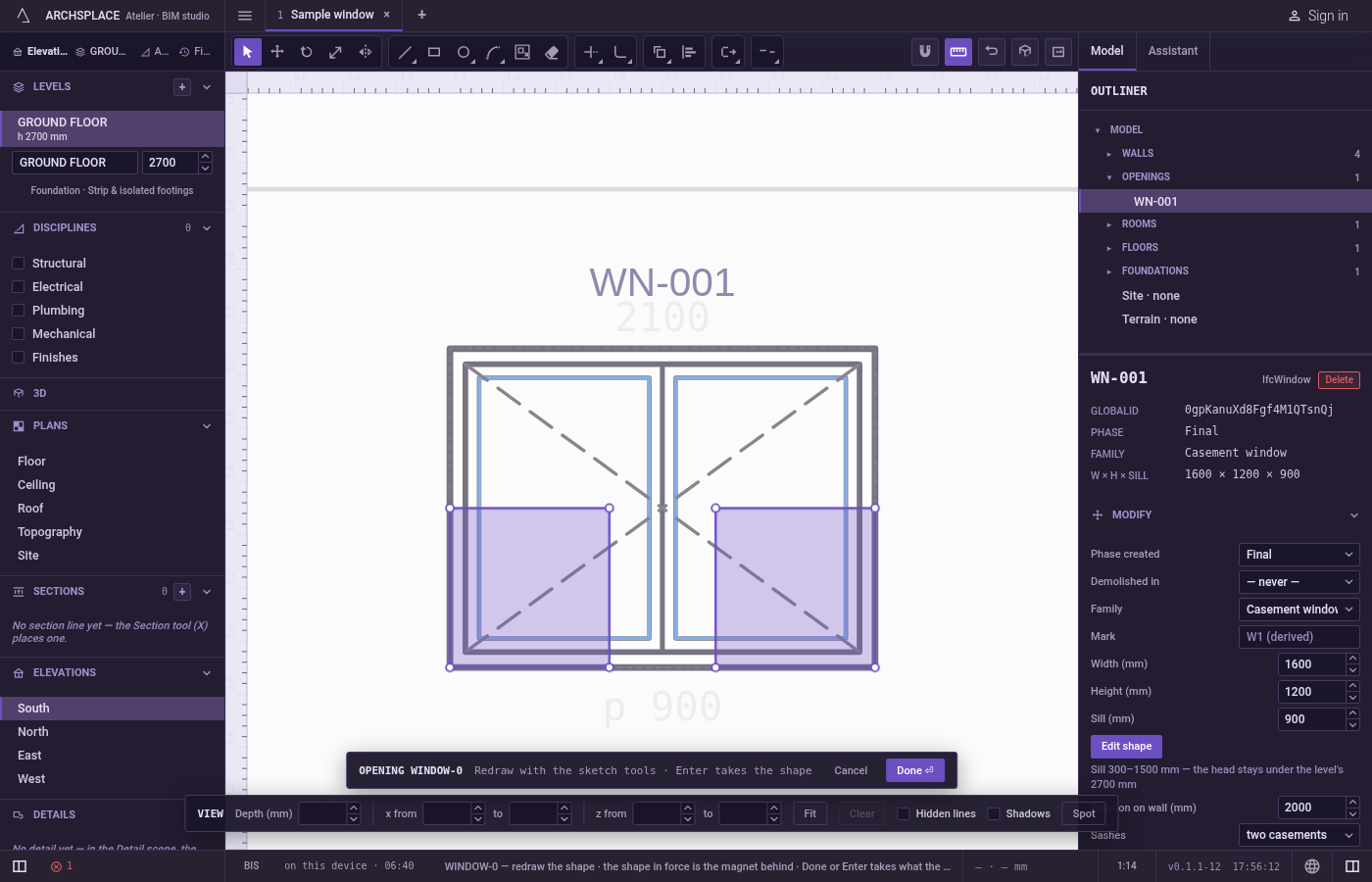
Mirror flips what you have selected in the sketch editor across a line, the mirror line, which you set by clicking two points on it. Every point lands at the same distance on the other side, and every arc bends the other way. With nothing selected, the whole drawing is flipped.
By default the mirror image replaces the original. Keeping Ctrl (⌘ on a Mac) pressed on the second click keeps the original and adds the mirror image beside it.
When to use it
- To draw a symmetrical shape from one half, such as the two sides of a pointed arch.
- To turn a shape round so that it faces the other way.
The steps
Choose what to mirror. In the sketch editor (see Select for the ways in), pick the lines and corners you want with Select, or pick nothing to flip the whole drawing.
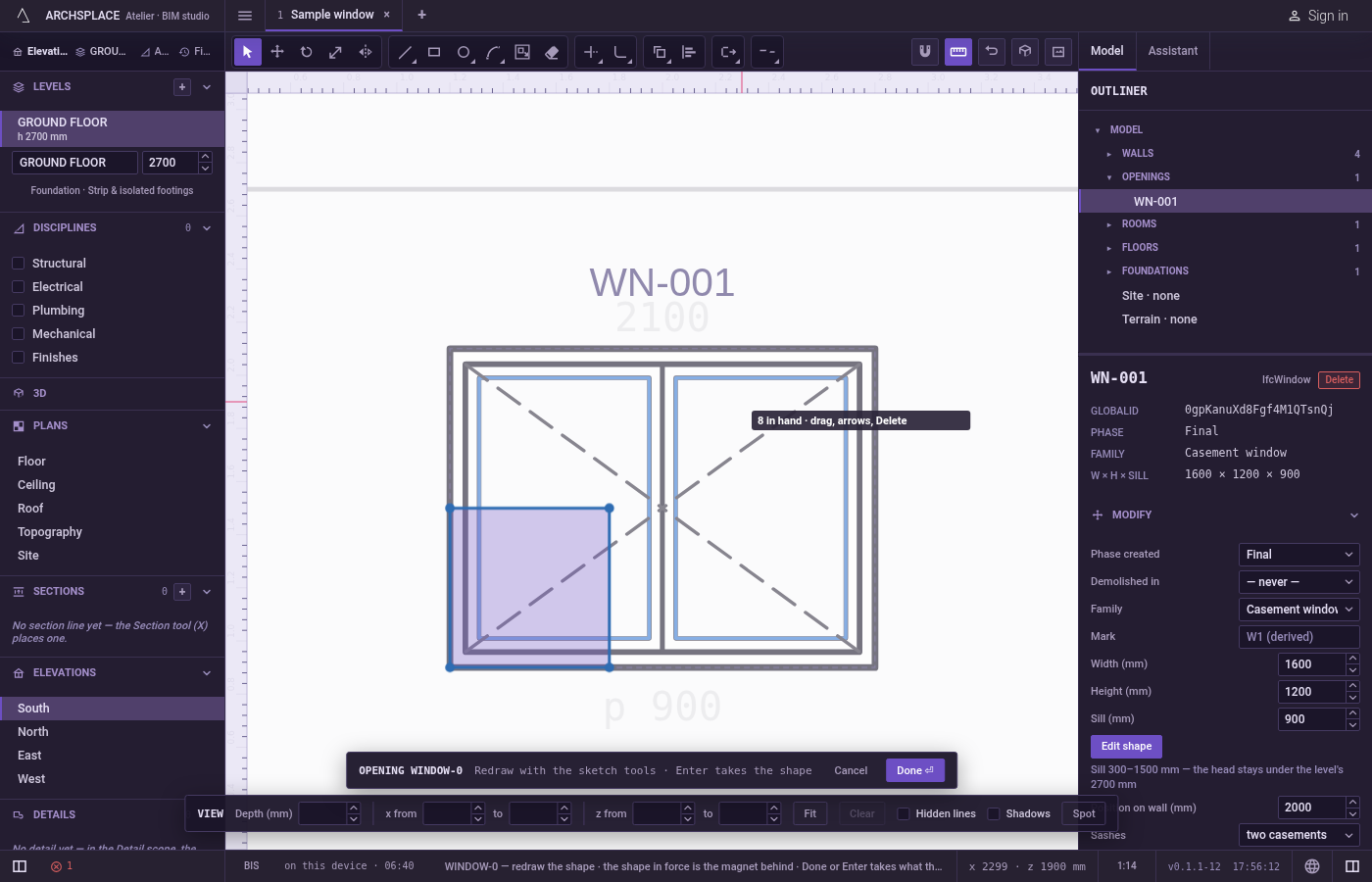
Pick Mirror. Press
I, or typeMand thenIquickly, or click Mirror on the toolbar of the editor. The hint at the cursor says first point of the axis · Ctrl keeps the source.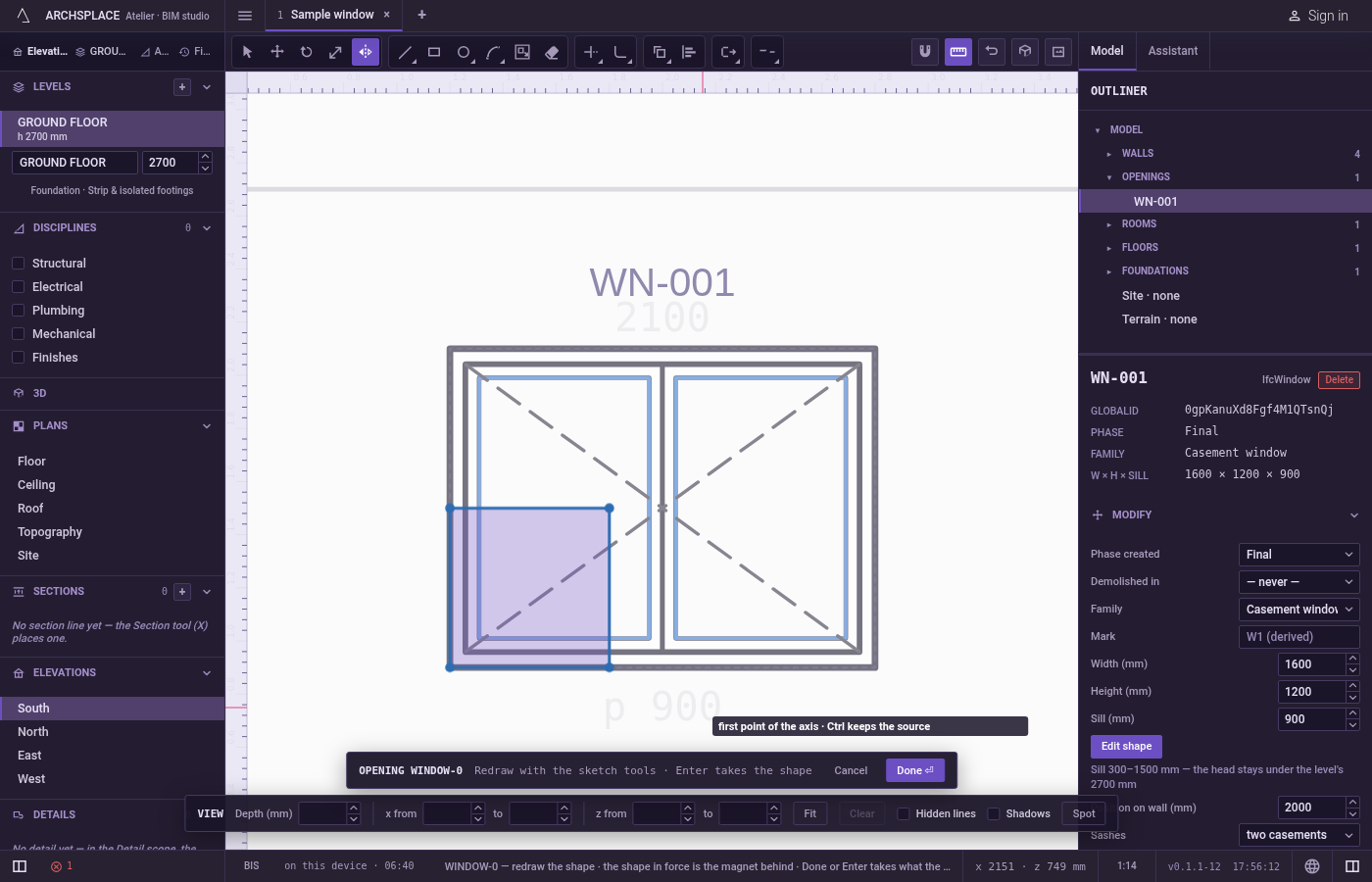
Click the first point of the mirror line. It snaps to corners, midpoints, crossings, the dimmed shape in force and the lines of the view. The middle of a line is a good point for an axis of symmetry.
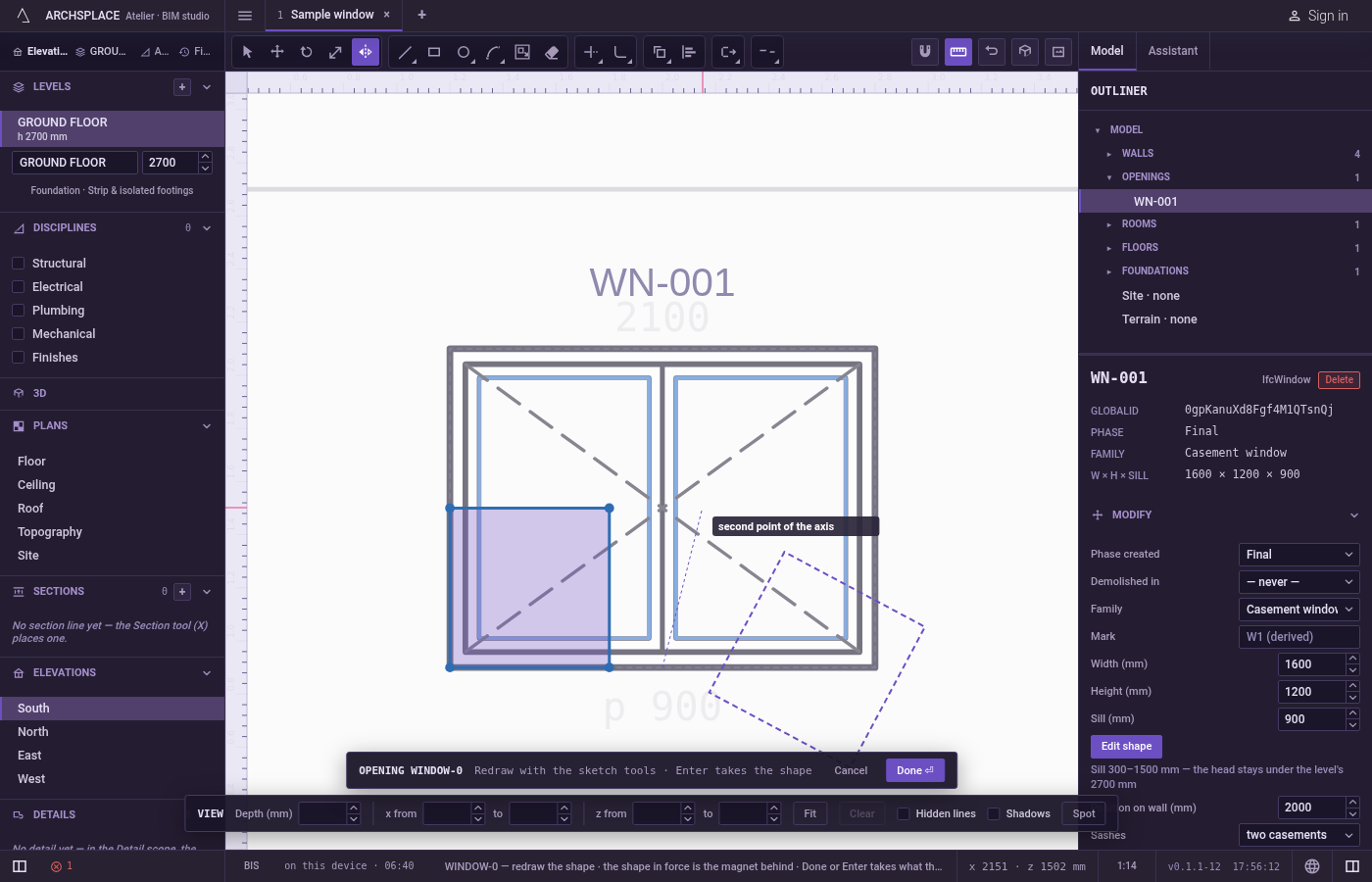
Click the second point. A preview of the mirror image follows the pointer, with the mirror line drawn. Click to flip it, keeping
Ctrlpressed to keep the original. You can also press at the first point, drag along the axis and release at the second.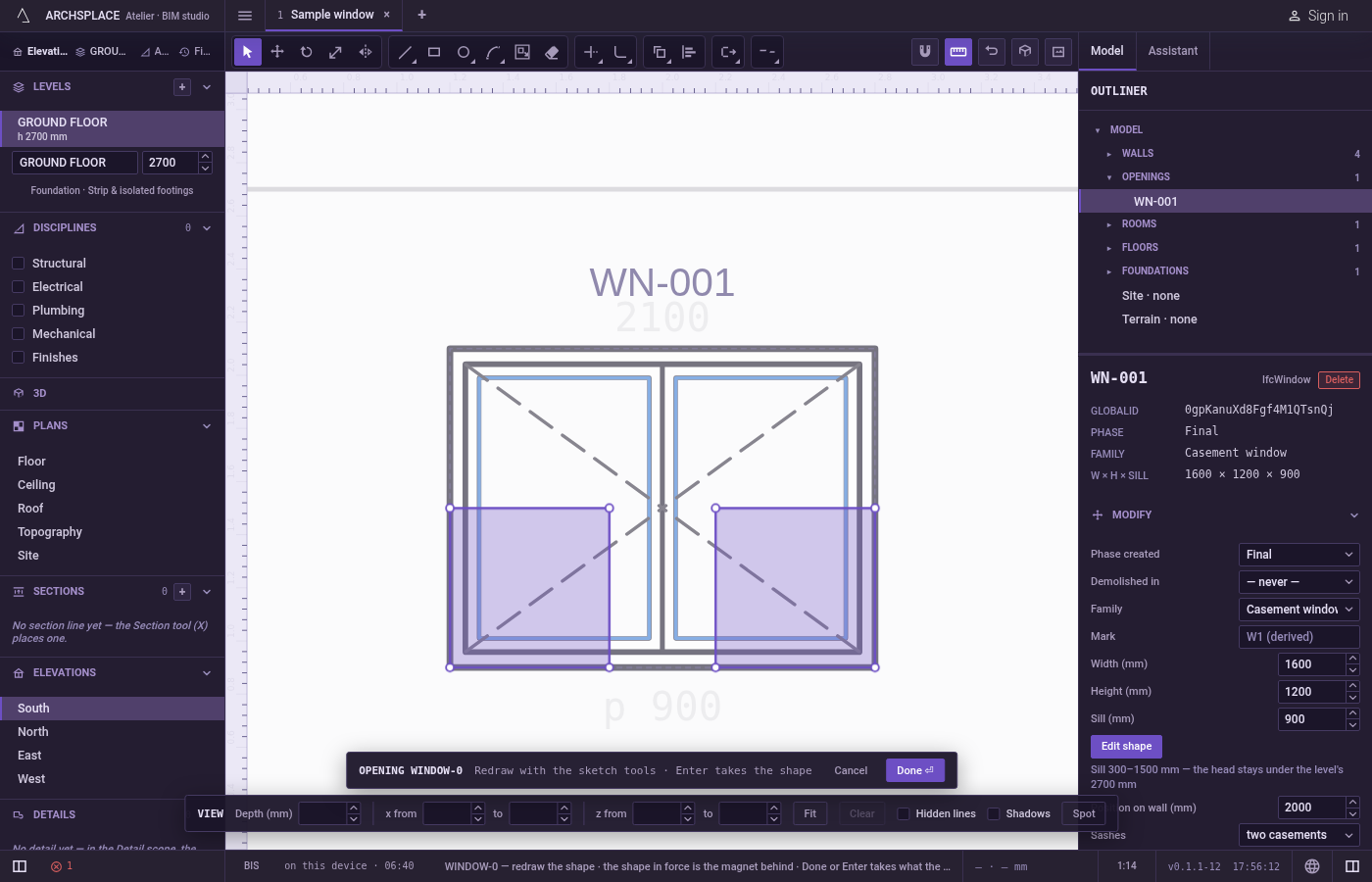
Carry on. Once flipped, the editor goes back to Select and releases what was selected.
What it refuses
- A mirror line with no length. A second click on the first point does nothing; the tool waits for another point.
- A typed value. Mirror takes no number. The line is always set by two points.
- The shape in force. The dimmed shape behind your drawing is never flipped.
- A clean copy of part of an outline. With
Ctrl, the copy carries the whole outline that holds what you selected, with only the selected corners flipped. Select every line of the shape before you mirror a copy of it. - A bend on a curve with one end flipped. A curve keeps its bend only when both its ends move. With only one end selected, that side comes out straight.
Escape drops the first point, then releases what is selected; with nothing left it closes the editor and drops the drawing.
What it writes to the contract
Nothing until you press Done. The mirror changes only the drawing inside the editor, where Ctrl+Z goes back through it. The contract changes when you press Done, or Enter with nothing in progress, as one step that you can undo: what the lines enclose becomes the profile of the window or door, points [u, v] in metres across the wall and up from the floor, or the outline of the pattern area in the floorAreas or ceilingAreas of the room, points [x, y] in plan metres.
A mirrored arc keeps its size and changes the sign of its bulge, the third number on its starting point, so it bends the other way. The outline handed over at Done always runs anticlockwise, whichever way the mirror left it.
Common questions
Does Mirror keep the original?
Not by default: the flipped drawing takes its place. Keep Ctrl (Command on a Mac) pressed when you click the second point of the mirror line to keep the original and add the mirror image.
How do I draw a symmetrical shape?
Draw one half, select it, press I, then click two points on the axis of symmetry with Ctrl pressed on the second. Done reads what the lines enclose, so two halves that meet on the axis already give one outline.
Do arcs remain correct after a mirror?
Yes. Every arc bends the other way, as a mirror image should, and keeps its radius.