Workflows
Import 3D model
Import 3D model brings an OBJ or STL file into the project in hand as a component: one body for each object of the file, placed once at the origin of the project on the level in hand. The whole import is one change, which one undo reverses.
What it is
Import 3D model is File, Import 3D model… (.obj, .stl). It also runs when an .obj or .stl file is dropped in the middle of the window while a project is open.
The atelier reads the file:
- an OBJ becomes one body for each object or group that carries faces, with the faces kept exactly as the file draws them, and the faces outside any group as one more body;
- an STL becomes one body, its triangles joined where they share their corners.
The model is then placed as one rigid whole: its middle in plan on the origin of the project and its lowest point on the floor of the level in hand. When it spans more than 40 m, which no piece of furniture and hardly a building does, the atelier reads it as centimetres or millimetres, whichever brings it nearest to a metre, scales it down, and says so in a toast: its largest span, the unit it read and the scale it applied.
The bodies become a new component, named after the file, and one copy of it is placed. A toast says how many bodies were imported and under which component name. The bodies are free geometry, phase-neutral, until you give them a building role.
When to use it
- To place a piece of furniture, a sanitary appliance or an object modelled in another program.
- To bring in a 3D print model or a scan as a reference.
- To start from a massing model made elsewhere.
The steps
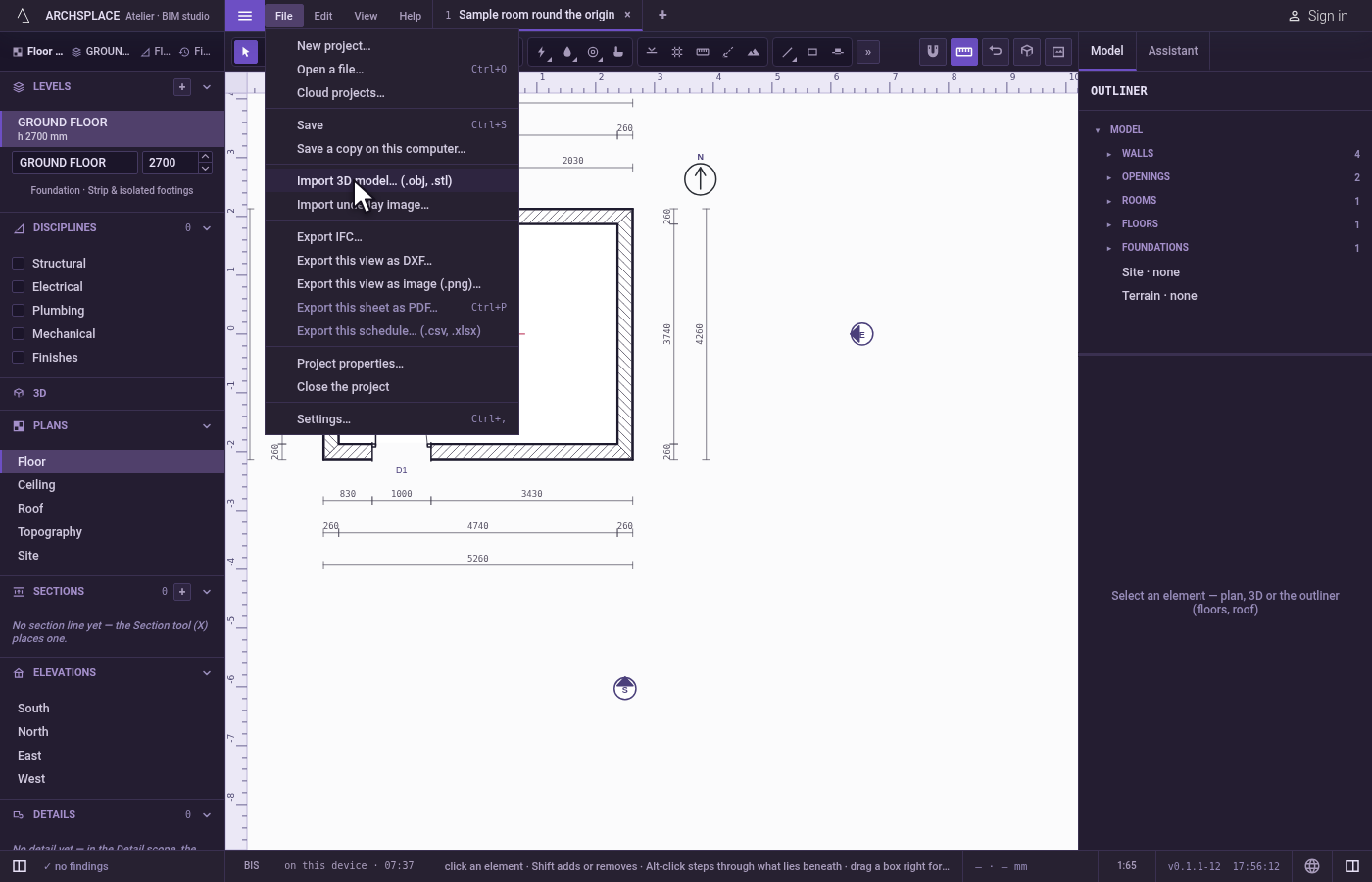
Open the import. Open File and click Import 3D model… (.obj, .stl). The file window of your computer opens on OBJ and STL files.
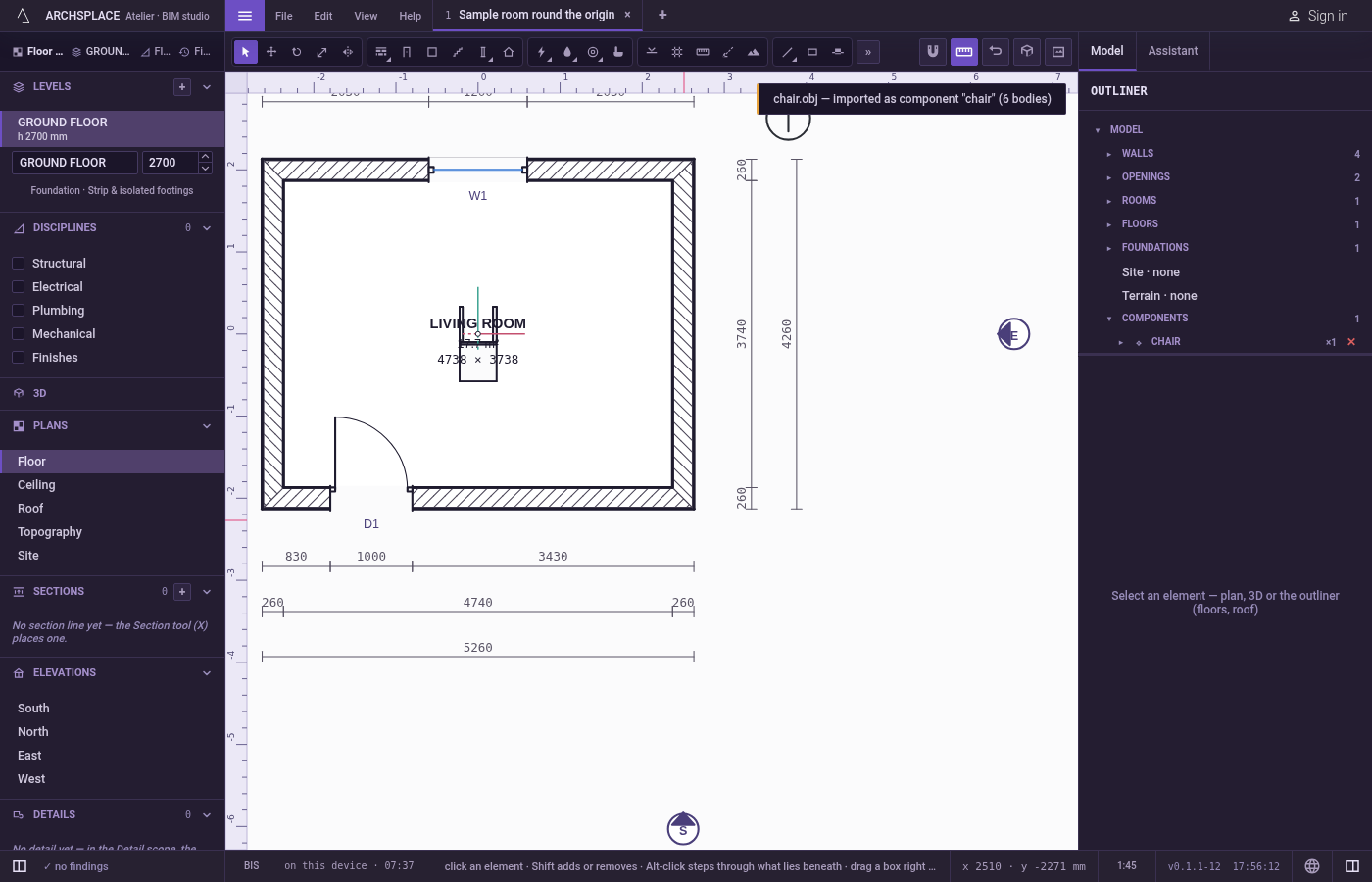
Choose the file. Choose chair.obj and confirm. The toast says that chair.obj was imported as component "chair", with its number of bodies. The chair stands at the origin of the level in hand.
Undo if needed. If the scale or the place is not what you wanted, press
Ctrl+Z: the whole import goes in one step.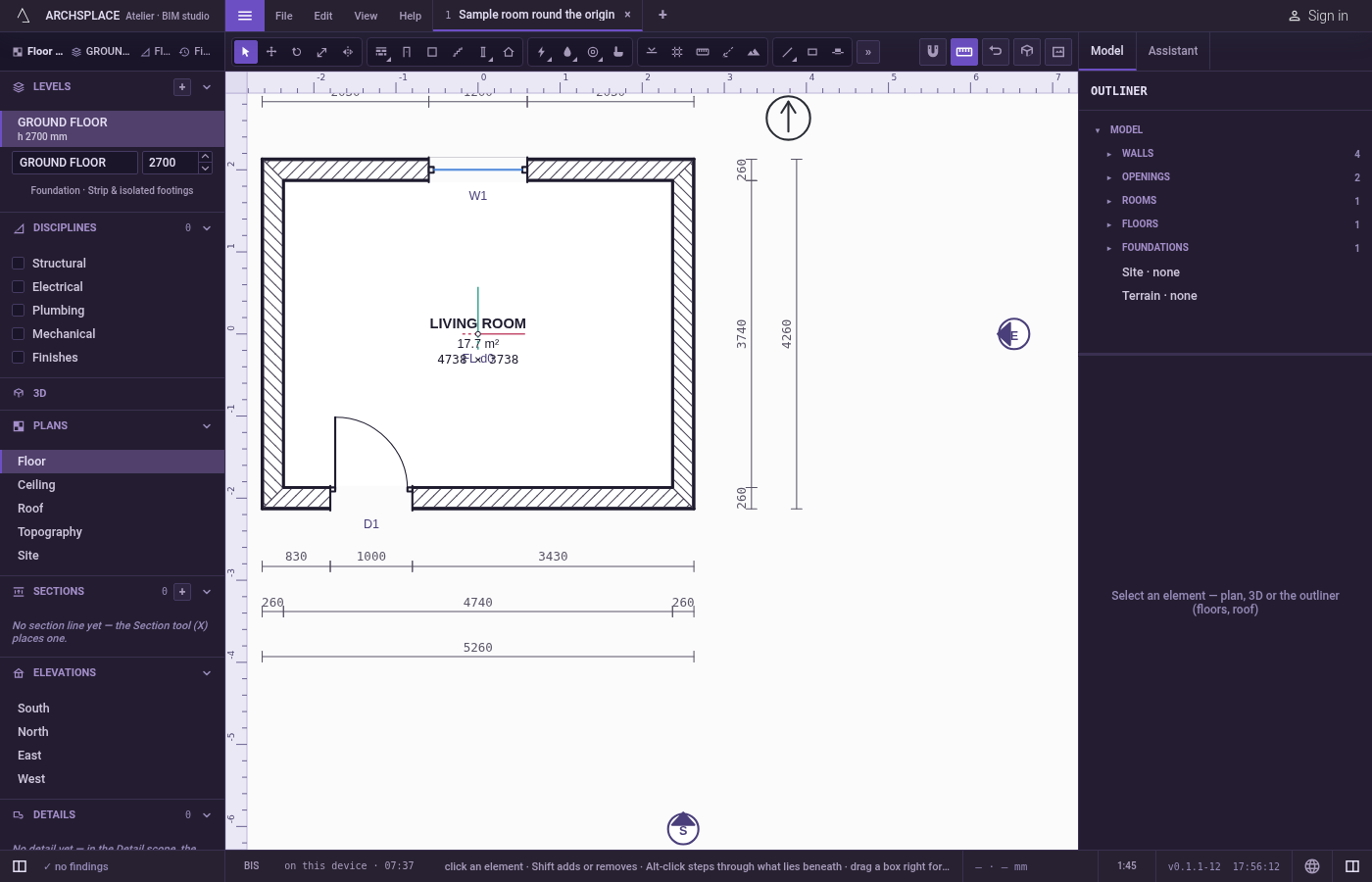
What it refuses
- A file that is not OBJ or STL. The toast says it is not an importable model, and that the import reads .obj and .stl.
- A model with no project open, when it is dropped on the window: open a project first.
- An OBJ beyond 30 000 vertices or an STL beyond 20 000 triangles. Nothing is imported, and the toast asks you to reduce the model first.
- An empty or unreadable file. An empty OBJ, or an STL with no triangle that the atelier can read, imports nothing, and the toast gives the reason.
- Broken parts of a file. A vertex with coordinates that are not numbers, or a face pointing to a vertex that does not exist, is skipped, and each one is reported in a toast.
What it writes to the contract
One change, after the second of the three steps:
componentDefs gains the component, named after the file, holding the bodies with their corners in metres. The instance names it by its place in that list, and stands at the origin with no rotation, on the level that was in hand.
Common questions
Which 3D files can I import?
OBJ and STL files. Each object or group of an OBJ becomes one body; an STL becomes one body. Any other format is refused with a toast.
My model came in a hundred times too big. Why?
It did not: when a model spans more than 40 m, the atelier reads it as centimetres or millimetres, whichever brings it nearest to a metre, scales it down and says so in a toast. If that guess is wrong, one undo reverses the whole import.
Where does the imported model land?
On the level in hand, with its middle in plan on the origin of the project and its lowest point on the floor of the level, as one component instance that you can move, rotate or copy like any other.