SketchRRECin the studio
Rectangle
Rectangle draws a closed outline of four sides in the sketch editor from one corner to the opposite one, by two clicks, one drag, or a typed width and height. Its sides always run along the two axes of the editor, across and up on an elevation, or along x and y on a plan.
What it is
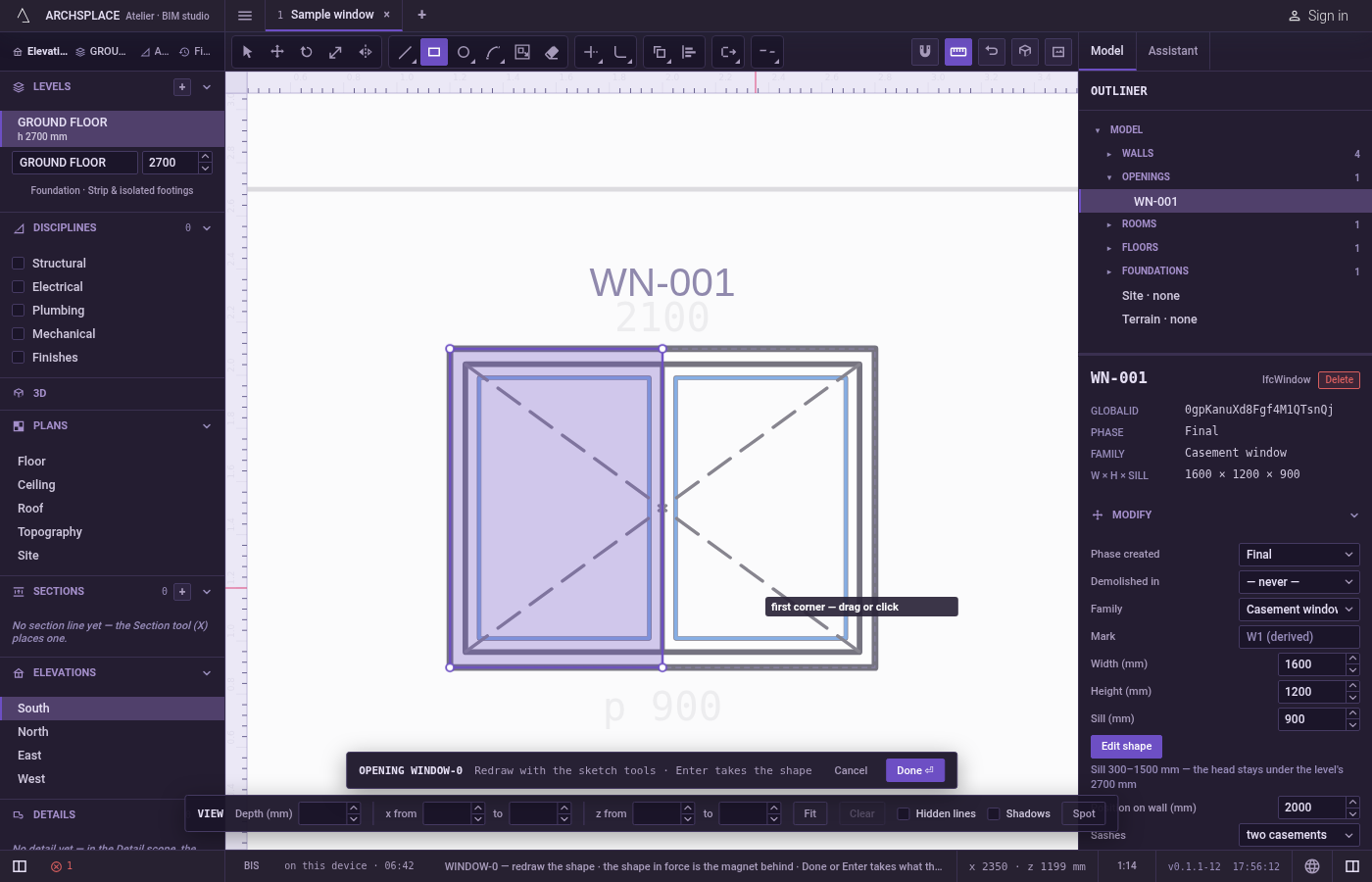
Rectangle draws a closed outline of four sides from one corner to the opposite one. The sides always run along the two axes of the editor: across the wall and up on an elevation, along x and y on a plan. While you choose the second corner, the rectangle is drawn filled, and the hint shows its width and height.
When to use it
- To start the shape of a window or a door from its plain frame, before adding an arch or cutting a corner.
- To draw a rectangular pattern area, such as a rug of tiles in the middle of a floor.
- To lay out a box that other tools will trim, fillet or chamfer.
The steps
Pick Rectangle. In the sketch editor (see Select for the ways in), press
Ror click Rectangle on the toolbar of the editor. The hint at the cursor asks for the first corner.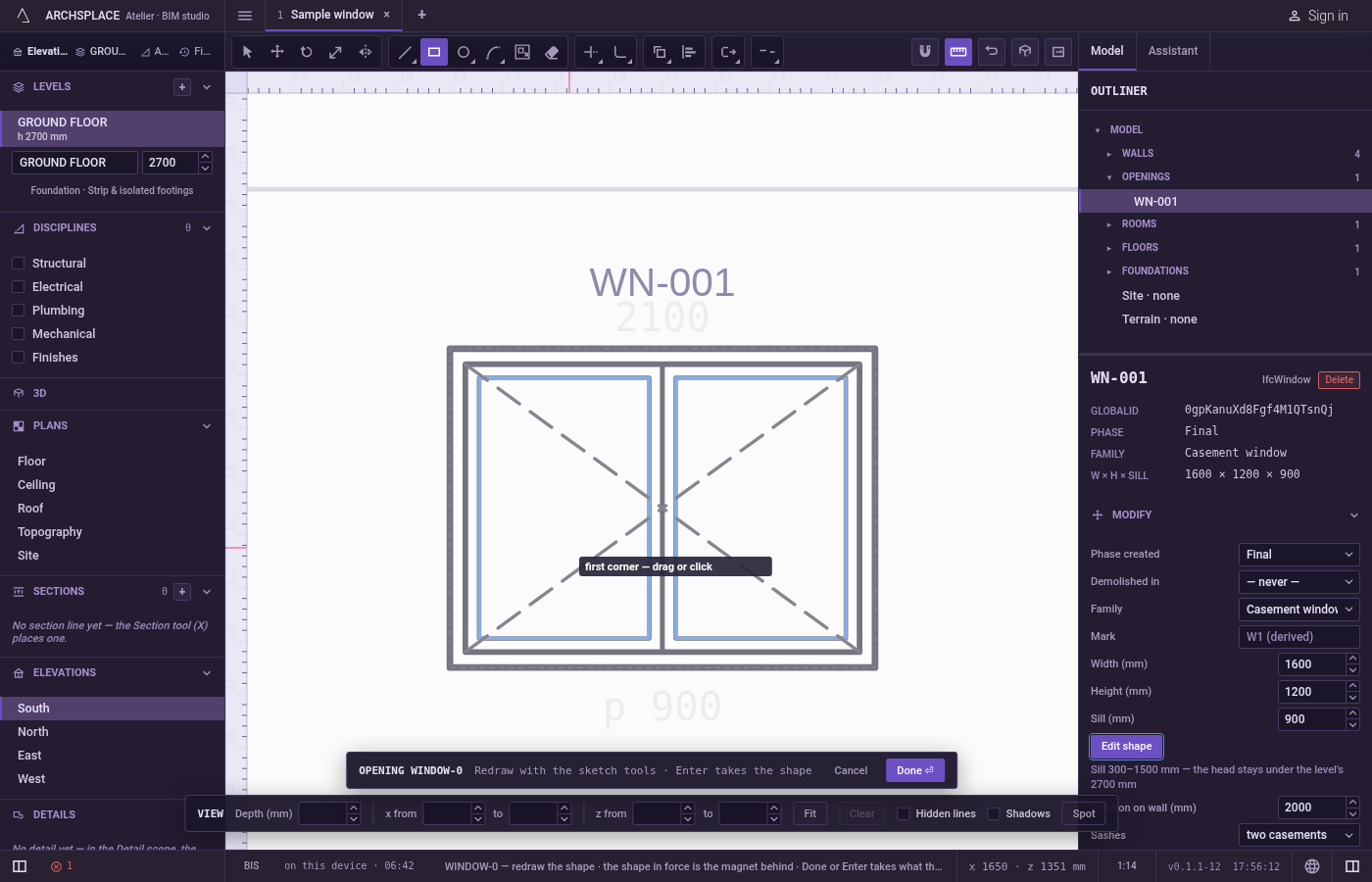
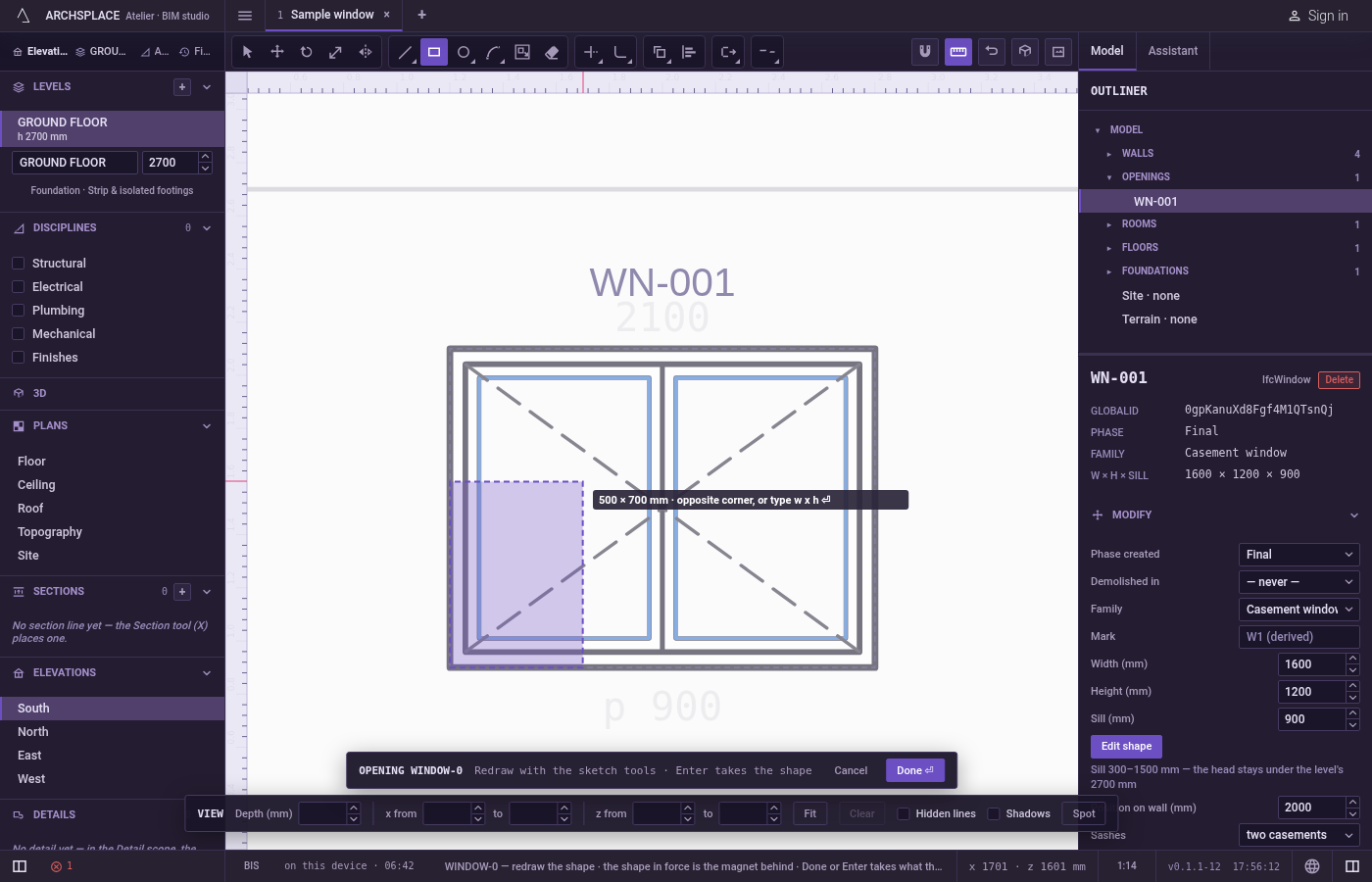
Set the first corner. Click it, or press it and keep the button down. It snaps to corners, midpoints, crossings, the dimmed shape in force and the lines of the view.
Set the opposite corner. Click it, or release the button there if you dragged. The hint shows width × height as you move.
Or type the size. After the first corner, point towards where the rectangle should grow, type the width,
x, the height, and pressEnter:1.2x0.8. One number alone draws a square of that side. Sizes are in the project units.Backspaceremoves the last character.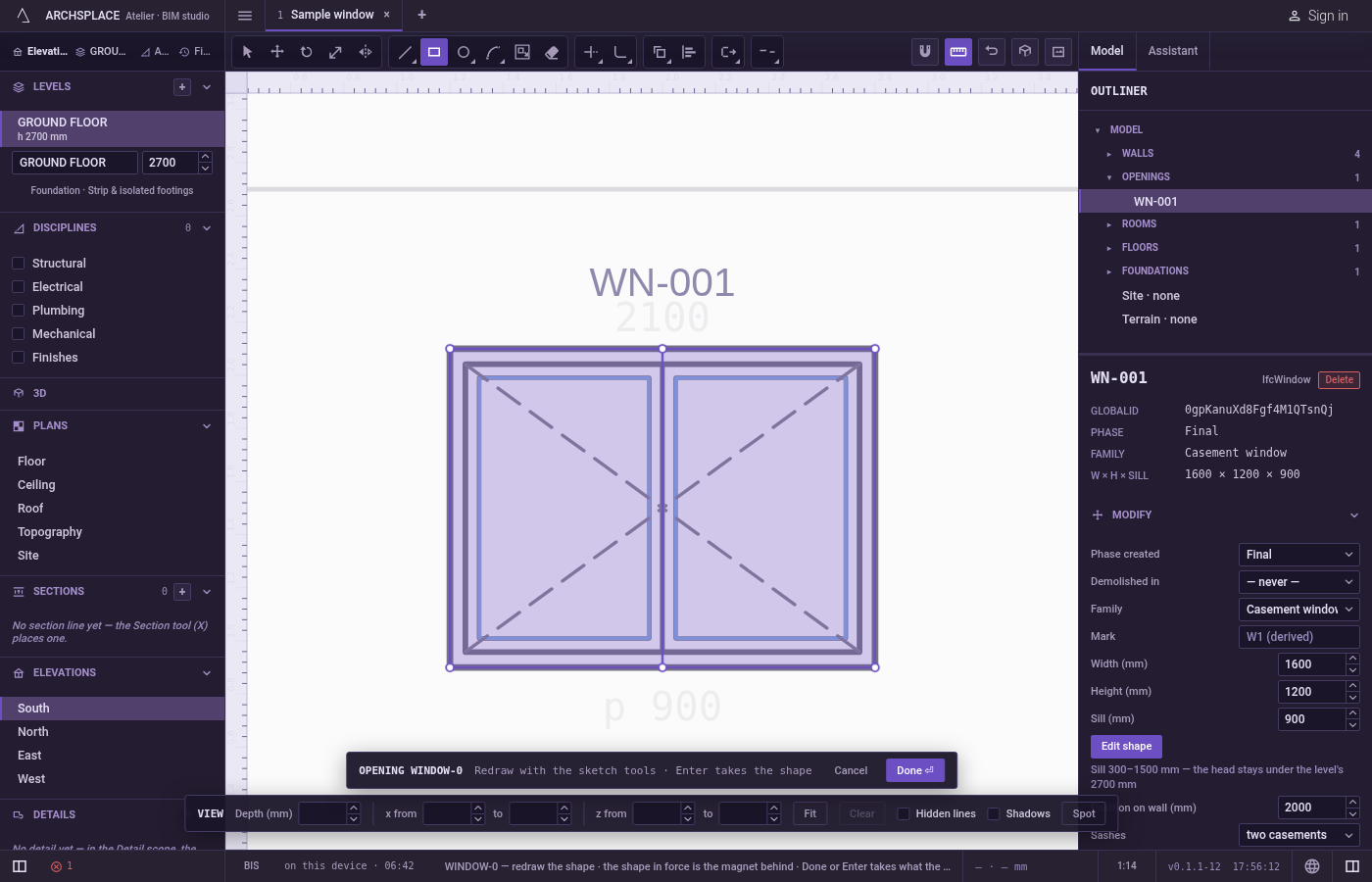
Carry on. The rectangle stays in the drawing and the tool is ready for the next one.
Escapedrops a first corner you have set.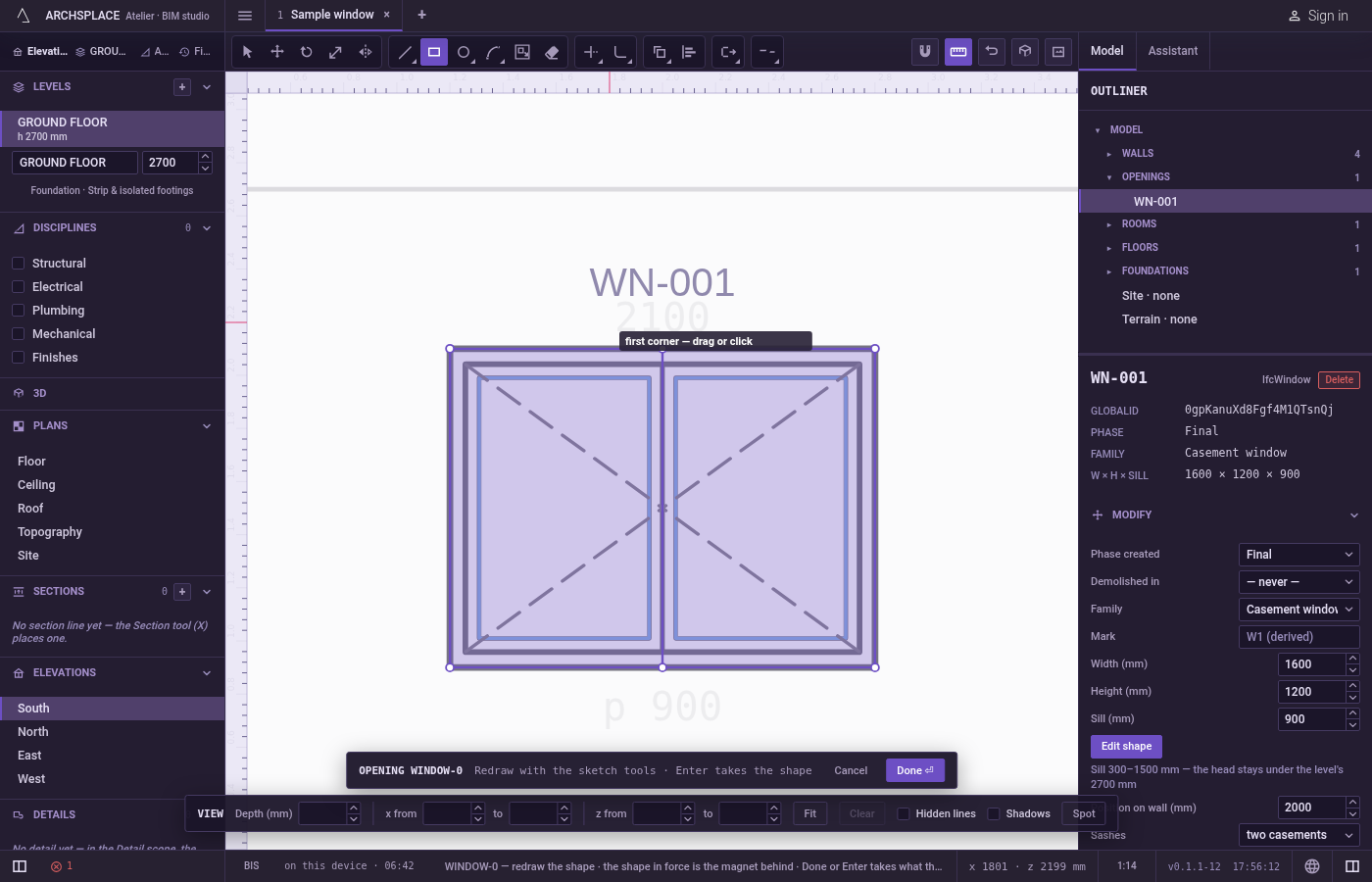
What it refuses
- A rectangle with no width or no height. A second corner level with the first, or plumb above it, draws nothing. The tool keeps the first corner and waits.
- A size typed before the first corner. Digits count only once the first corner is set.
- A turned rectangle. The sides always follow the axes of the editor. Turn it afterwards with Rotate.
- Negative sizes as a direction. A minus sign in a typed size is ignored; the rectangle grows towards the pointer.
What it writes to the contract
Nothing until you press Done. The rectangle is added to the drawing inside the editor as one closed outline of four corners rounded to the nearest millimetre, and Ctrl+Z goes back through it. The contract changes when you press Done, or Enter with nothing in progress, as one step that you can undo: what the lines enclose becomes the profile of the window or door, points [u, v] in metres across the wall and up from the floor, or the outline of the pattern area in the floorAreas or ceilingAreas of the room, points [x, y] in plan metres.
A rectangle of 2.4 by 1.2 metres drawn as a floor area gives:
For a window, a rectangle that matches the width, height and sill of the opening itself, within two centimetres, removes profile instead: the opening is a plain rectangle again.
Common questions
How do I draw a rectangle of an exact size?
Press R, click the first corner, point towards where the rectangle should grow, type the width, x, the height, and press Enter, for example 1.2x0.8. One number alone draws a square.
Can I draw a rectangle at an angle?
Not directly: its sides always follow the axes of the editor. Draw it square to the view, then turn it with Rotate.
In which direction does a typed rectangle grow?
Towards the pointer. The typed sizes are laid from the first corner in the direction in which the pointer stands from it, so point first, then type.